;)
Registration Help
To Register
On the Website:
1. Add the system email address auto-sender@acsvillage.com to your default address book or contacts.
2. Goto https://acsvillage.com
3. Click the blue Sign In button in top right
4. Click the blue Register button next to email address
5. Fill in the form noting the required fields marked with a red asterisk (*)
6. Click the Checkbox to confirm you have read and agree with the Terms of Use
7. Type the letters in the box to confirm you are not a robot
On a Mobile:
1. Download the Apple version from  or download the Android version from
2. Once you launch the app, tap on the green Sign up by Email Address button.
3. Enter your First & Last Name, Email Address x2, Password, Organization and Zip Code. Tap the Next button on the keyboard to move to each field then tap the Continue button to submit.
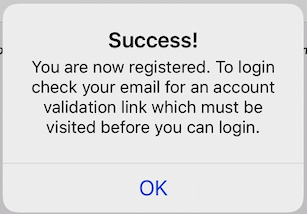
4. You will see the following message about validating your email address
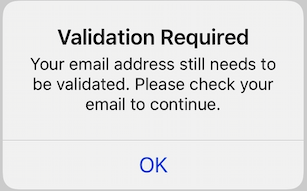
4a. If you try to sign in after tapping the ok button above, you will receive a validation required message
5. Toggle to your email app and find the email with the Subject Confirm your email and tap on the validation link which will launch your internet browser app and you should see an Registration Successful or Operation Complete message.
6. Swap back to the app and login
Sign in to add your comment.