;)
Video Help
To share a video outside of ACS Village:
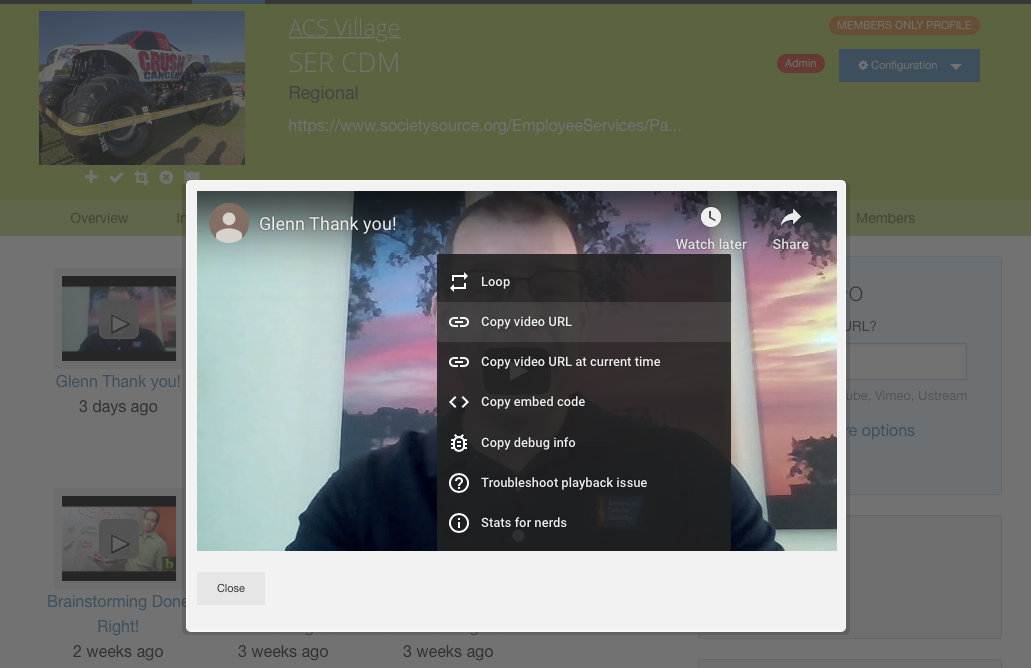
On the website:
1. Click on it as if you wanted to play it.
2. Then right-click in the window.
3. You should be presented with a menu of options.
4. Select Copy Video URL.
5. Then launch whatever method you want to send it (email, text, etc) and paste the link.
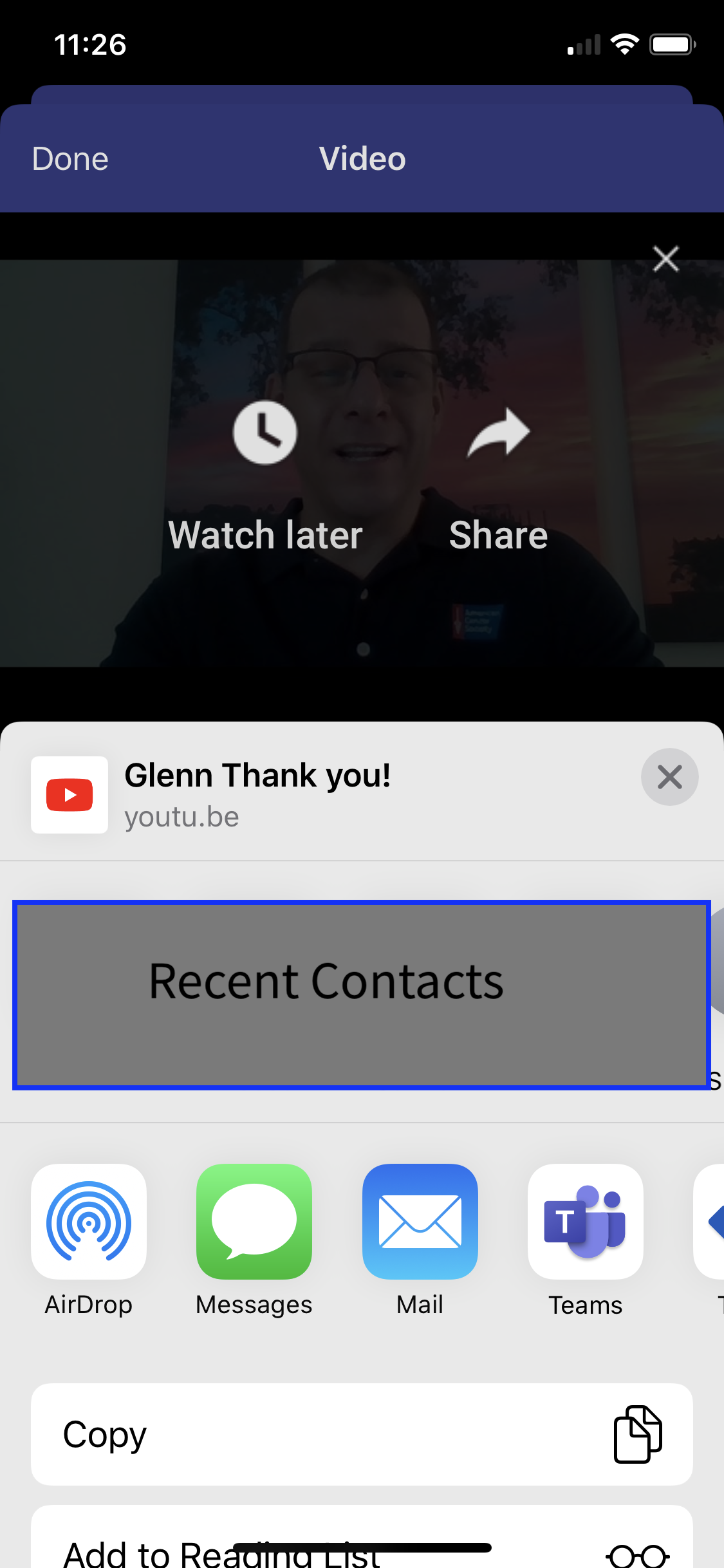
On an Apple phone:
1. Tap on it as if you wanted to play it.
2. Then Tap the 3 vertical dots in the top right corner.
3. Tap the Share Arrow and a menu of iPhone based options is displayed.
4. Select whichever method you want to send it.
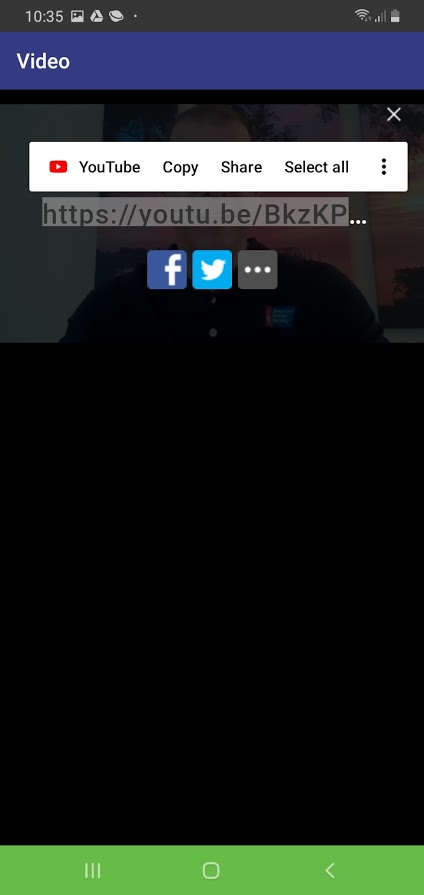
On an Android phone:
1. Tap on it as if you wanted to play it.
2. Then Tap the 3 vertical dots in the top right corner.
3. Tap the Share Arrow and the video URL is displayed along with other methods (Facebook, Twitter, etc).
4. Press and Hold on the URL and Select Copy.
5. Launch whatever method you want to send it (email, text, etc) and paste the link.
Sign in to add your comment.